

Stack Basics — the free course
Setting up to build on the autonomous agent economy
The complete course on one page — print it, save it as a PDF, scribble on it. From kit.forgemesh.io/stack-basics, where the web version lives (and stays updated).

Module 1 — Your laptop is not a vending machine
The whole promise of the agent economy is that software buys from software around the clock. A bot doesn't care that it's 3am your time. If your endpoint is asleep when the bot shows up, there is no "they'll come back later" — the agent just moves to the next result. No error report, no second chance, nothing.
So before any talk about payments, protocols, or making money while you sleep, you need the boring thing nobody puts in the hype videos: a machine that is on, reachable, and serving — 24/7.
Why localhost doesn't count
Running your server with npm start on your laptop works great in the tutorial and fails as a business, for reasons that have nothing to do with your code:
- Your laptop sleeps. Lid closes, screen locks, OS naps the process. Your "24/7 vending machine" keeps banker's hours.
- Home internet hides you. Your router does NAT — the outside world can't reach
localhost:3000without port forwarding, and most ISPs hand you a dynamic IP that changes whenever it feels like it. - No TLS. Agents and payment clients expect
https://. A bare IP withhttp://reads as sketchy to humans and broken to half the tooling. - One power flicker and your process is gone until you notice — which might be days.
None of this means you need a data center. It means you need to make one decision: where does the always-on machine live?
The realistic options
1. A cheap VPS (my recommendation for almost everyone). A VPS is a small always-on Linux machine you rent by the month. Hetzner, DigitalOcean, AWS Lightsail, Vultr — as of this writing you're looking at roughly $4–12/month for more than enough to run several small servers. You get a static public IP, it never sleeps, and everything you learn on it (Linux, ssh, services) transfers everywhere. This entire fleet you see me post about runs on a VPS.
2. A Mac mini (or any spare computer) on a shelf. Real option, and kind of beautiful: one-time hardware cost, huge power for the money, and modern Apple silicon sips electricity. The catch is the reachability problem — you're still behind home NAT with a dynamic IP. The fix is a tunnel (Cloudflare Tunnel is free — Module 2), which punches out from your machine so the internet can reach it without opening router ports. Downsides: your uptime is now your home's uptime (power, ISP outages, someone unplugging "that weird box"), and residential IPs can get side-eyed by some services.
3. A Raspberry Pi. Same story as the Mac mini at a fraction of the price (~$60–80). Genuinely enough for lightweight API servers. Great learning machine. Same tunnel requirement, same home-uptime caveat, plus ARM quirks occasionally bite on npm packages.
4. A PaaS (Railway, Render, Fly.io, Vercel). "Push code, we run it" platforms. Zero Linux to learn, which is why people love them. Watch for: free/hobby tiers that sleep your app when idle (deadly for a vending machine — the bot's first request hits a cold, slow, or dead app), pricing that creeps as you add services, and platform limits on long-running processes or WebSockets. Fine for a first deploy; know what you're standing on.
5. Free tiers. Oracle Cloud has a famously generous always-free tier if you can get through their signup. Free is free — just don't build your income on a machine a provider can reclaim.
(The Mac mini, the Pi 5 kit, and the other hardware from this module are collected on my Amazon storefront — those and the DigitalOcean links are affiliate links; they fund this free course and your price never changes.)
The honest tradeoff table
| Option | Monthly cost | Uptime | You must learn | Gotcha |
|---|---|---|---|---|
| VPS | ~$4–12 | Excellent | Basic Linux + ssh | It's YOUR box — you patch it |
| Mac mini / spare PC | ~$0 (owned) | Your home's | Tunnels | Power/ISP outages are your outages |
| Raspberry Pi | ~$60–80 once | Your home's | Tunnels + ARM quirks | Underpowered for heavy work |
| PaaS | $0–20+ | Good | Their dashboard | Idle sleep, price creep, platform limits |
| Free tier | $0 | Decent | Their cloud | Can be reclaimed; signup pain |
Do this
Pick one. If you're torn, take the $6-ish VPS — it's a business expense smaller than one lunch, and it forces you to learn the plumbing every other option only postpones. Point your coding agent at it ("help me set up a fresh Ubuntu VPS securely") and it will walk you through keys, users, and firewalls faster than any tutorial.
Next module: the plumbing that turns "a machine that's on" into "a machine the internet can actually find" — domains, DNS, tunnels, TLS, and keeping your process alive when it crashes at 4am.

Module 2 — The plumbing: domains, tunnels, TLS, and staying alive
You have a machine that's always on. Now the internet needs to find it, trust it, and keep getting answers from it even when your code crashes at 4am. That's four small pieces of plumbing. None of them are hard; all of them are the difference between a demo and a vending machine.
1. A domain (~$10/year)
Agents and humans both need a stable address. https://api.yourthing.com survives server moves, IP changes, and provider switches — a bare IP survives nothing. Buy the domain at any registrar, then point its DNS at Cloudflare's free tier even if you do nothing else there: you get DNS management, a CDN, and the tunnel option below, all free.
One habit that pays forever: put services on subdomains (api., shop., stats.). You'll add more services than you think, and subdomains make each one movable on its own.
2. Reachability: open ports vs. tunnels
Two ways the internet reaches your machine:
Open ports (classic way). On a VPS you point DNS at your static IP, open ports 80/443 in the firewall, and put a reverse proxy (Caddy or nginx) in front of your app. Caddy is the beginner-friendly one — it fetches and renews TLS certificates automatically with about three lines of config.
A tunnel (the way I actually run things). A tiny agent (Cloudflare Tunnel / cloudflared, free) runs on your machine and dials OUT to Cloudflare; traffic to your domain flows back down that connection. Why I like it even on a VPS with a public IP: zero open inbound ports (your firewall stays closed — a scanner can't even knock), TLS is handled for you, and adding a new hostname is a dashboard entry, not a config file. And on a Mac mini or Pi behind home NAT, a tunnel isn't optional — it's the whole trick that makes home hosting work.
3. TLS
If you use Cloudflare (proxy or tunnel), you already have it — the padlock costs nothing and takes zero maintenance. If you're raw on a VPS, Caddy gives you the same for free via Let's Encrypt. There is no reason to serve http:// in 2026, and plenty of payment tooling will simply refuse to talk to you if you do.
4. Staying alive: process managers
Your app WILL crash. A dependency hiccup, an unhandled promise, an out-of-memory kill. The question isn't if — it's whether anything restarts it.
- systemd (built into every Linux) — my choice. One small unit file per service: starts on boot, restarts on crash, logs to
journalctl. Ask your coding agent to "write a systemd unit for my Node server" and you'll have it in two minutes. - pm2 — a friendlier Node-world alternative (
pm2 start server.js,pm2 startup). Same effect, nicer commands. - On a Mac mini:
launchd(ask your agent for a plist), plus energy settings so the machine never sleeps.
Rule: if killing your process doesn't result in it running again within seconds without you touching anything, you're not done.
5. Knowing it's alive: health checks + logs
Give every service a /health route that returns 200 and something cheap (uptime, version). Then let a free uptime monitor (UptimeRobot and friends) ping it and email you when it stops answering — that's how you find out about the 4am crash at 8am instead of Thursday. Keep logs somewhere you can read them (journalctl -u yourservice on systemd). When a buyer says "it didn't work," logs are the difference between an answer and a shrug.
The pattern, end to end
Domain → Cloudflare DNS → tunnel (or Caddy on open ports) → your app on 127.0.0.1 → systemd keeping it alive → /health being watched. That's the entire production pattern my fleet runs on — every one of the services you see in my videos sits behind exactly this stack. It fits on an index card, it costs about $10/year plus the machine, and once you've done it once, every future service takes minutes to add.
Do this
Take your machine from Module 1 and get one "hello world" endpoint answering at https://api.yourdomain.com/health — with the process under systemd/pm2 so it survives a reboot. Hand your coding agent this exact module and say "help me do this on my setup." That one afternoon is 80% of everything infrastructure will ever ask of you.
Next module: the coding agents themselves — which ones exist, what they cost, and how to actually work with one without it wrecking your repo.

Module 3 — Coding agents: your build crew
Everything in this course — and everything in the paid kit — assumes you're not typing every line yourself. A coding agent is an AI that reads your repo, runs commands, edits files, and iterates until the thing works. The difference between people shipping in 2026 and people watching tutorials is mostly that the shippers picked one of these and got comfortable.
Here's the honest tour. Prices are ballpark as of this writing — check current pages before you commit.
The main players
Claude Code (Anthropic — terminal). Lives in your terminal, works directly on your files, runs your commands, fixes its own errors. This is what I use to run my whole fleet — servers, deploys, debugging, even the marketing. Comes with Anthropic's subscription plans (Pro ~$20/mo gets you real usage; heavier plans exist), or pay-per-token via API. Strengths: long multi-step tasks, real ops work (ssh, systemd, logs), honesty about what failed.
Cursor (~$20/mo). A full code editor (VS Code fork) with the agent built in. If you want to SEE the code while it changes and click around like a normal IDE, start here. Very popular first agent for a reason.
Codex CLI (OpenAI — terminal). OpenAI's answer to Claude Code, bundled with ChatGPT plans. Same terminal-agent shape. If you already pay for ChatGPT, you may already have it.
Aider (free, open source — terminal). Bring-your-own-API-key. Pairs beautifully with cost hacks from Module 4 (point it at cheap or free models). More manual than the big two, but the price of the tool itself is zero.
Windsurf, Zed, and friends. The field moves monthly. The good news: the skills transfer. Learn to work with one agent and you can switch tools in an afternoon.
Which one, for you
- Never coded, want visual guardrails → Cursor.
- Comfortable in a terminal, want maximum leverage → Claude Code.
- Already pay for ChatGPT → try Codex CLI before buying anything.
- Zero budget for tools → Aider + cheap API models.
Any of them can build everything this course describes. Pick one and stop shopping.
The five habits that make agents actually work
Owning an agent isn't the skill — working with one is. These five habits are most of it:
- Small asks, verified. "Set up the systemd unit and show me it survives a kill" beats "build my whole server." Small steps, checked each time, compound fast; giant asks produce giant messes.
- Git before everything.
git initon day one, commit after every working step. The agent can then experiment freely because YOU can always roll back. This is your seatbelt — non-negotiable. - Make it verify. End asks with "…and prove it works" — run the test, curl the endpoint, show the output. Agents that must demonstrate success lie to you far less.
- Give it context files. A short note in the repo (commonly
CLAUDE.mdorAGENTS.md) with what the project is, how to run it, what not to touch. Ten minutes writing this saves hours of the agent guessing. - You own the decisions. The agent executes; the choices — what to build, what's on or off, what's worth money — stay yours. That's Module 5's whole subject, and honestly, the entire reason this course exists.
The mental shift
You're not "learning to code" in the old sense. You're learning to be a very small company's technical director, with a tireless employee who types 1000× faster than you and needs clear instructions and code review. Every module in this course is written to be handed to that employee — literally paste it in and say "help me do this."
Next module: what all of this costs to run — model pricing, the OpenRouter free-model hack and its tradeoffs, and when a local LLM on your own hardware is genuinely enough.
Module 4 — What this all costs, and the cost hacks that actually work
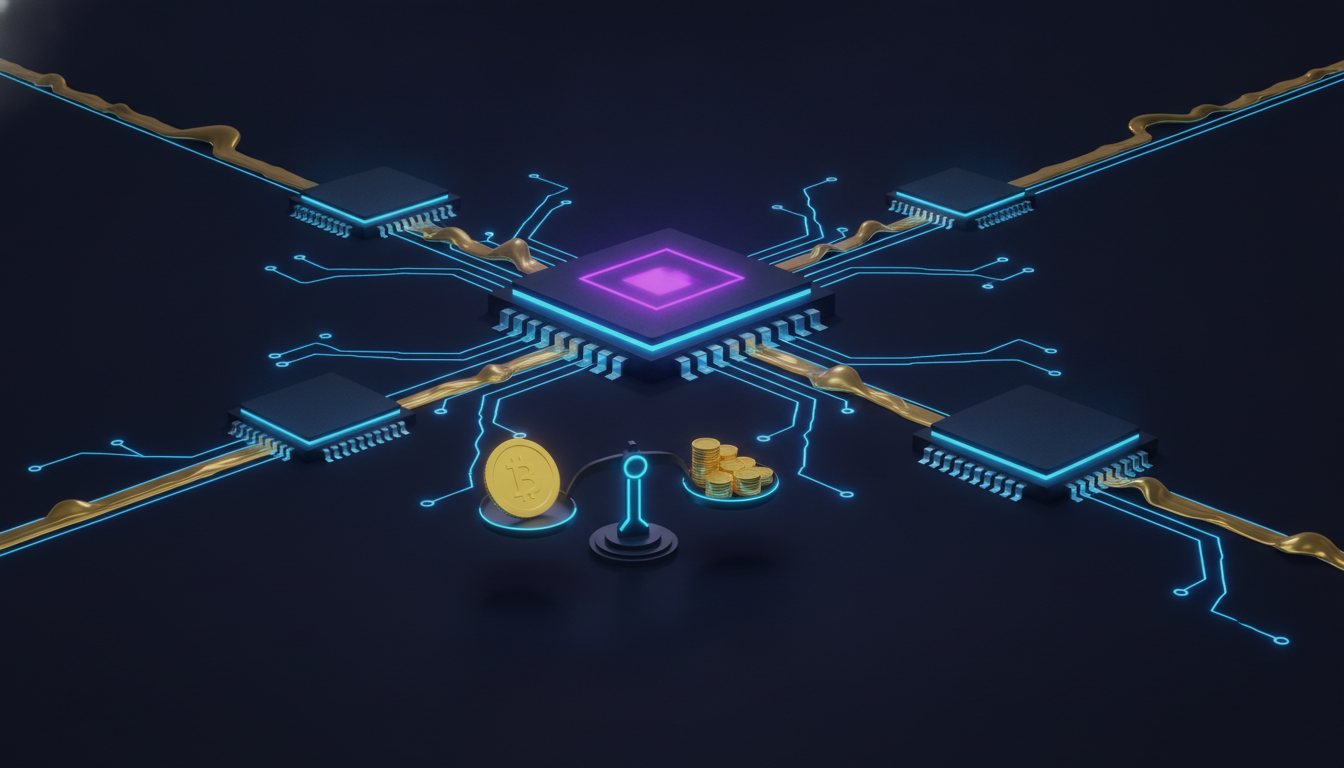
Hosting is cheap — Modules 1–2 run on about $6–12 a month plus $10 a year. The real money question in an AI stack is model usage: what you pay every time an AI writes code for you or powers a feature in your product. Here's how the costs actually behave, and the hacks people use — with the tradeoffs the hype posts skip.
Where the money goes: tokens
Every AI call is billed in tokens (roughly ¾ of a word each). You pay for what goes in (your prompt, your files) and what comes out (the answer). Coding agents are token-hungry — they read big chunks of your repo, think, retry. That's why the same model can cost pennies in a chat window and real dollars in an agent loop.
Two ways to pay:
- Subscriptions (Claude Pro, ChatGPT Plus, Cursor): flat ~$20/mo-ish for generous-but-capped usage. Best deal for individuals learning — your worst month is capped, and you'll use more than you'd dare to at per-token prices.
- API keys (pay-per-token): no cap, no floor. What you'll use inside your product (your server calling a model to serve a customer), and what tools like Aider run on. Costs scale with success — mostly a good problem.
The rough shape across every provider: frontier models cost 10–30× more per token than small models. That gap is the whole cost game.
Hack 1: model routing — the one that actually matters
Not every job needs the frontier model. Summarizing, classifying, formatting, drafting boilerplate — small cheap models do this fine. Architecture, gnarly debugging, code your income depends on — that's frontier-model work.
The practice: default cheap, escalate on failure. My own pipelines route almost everything to lower-cost models and only reach for a premium model when the cheap one demonstrably fails. That single habit routinely cuts model spend by 10× or more, with almost no quality loss — because most jobs weren't hard.
Hack 2: OpenRouter and free models — real, with a real tradeoff
OpenRouter gives you one API key for hundreds of models across providers, which alone is worth having: swap models by changing one string, compare prices in one dashboard.
It also lists genuinely free models — usually open-source models someone is hosting at zero cost, often rate-limited. Here's the honest version of the tradeoff:
- Fine for: learning, prototypes, personal scripts, high-volume/low-stakes jobs (tagging, drafts), anything where a mediocre answer costs you nothing.
- Not fine for: production code you'll sell, security-sensitive work, anything customer-facing. The quality drop is real — more subtle bugs, worse instruction-following, and free capacity can vanish or slow down without notice.
Rule of thumb: free models to learn and tinker, paid models where your name is on the output. A subtle bug in production costs more than the tokens you saved.
Hack 3: local LLMs — your hardware, zero per-token cost
Run open models on your own machine with Ollama (one install, then ollama run <model>). Truly free per token, fully private, works offline.
The catch is hardware physics:
- 8–16GB RAM: small models (7–8B class) — usable for chat, summaries, simple code completion. Think eager intern.
- Apple silicon 32GB+ (that Mac mini again): mid-size models run surprisingly well. This is the sleeper reason home-hosting people love the mini — vending machine and free model server.
- Big GPU (24GB+ VRAM): large models, genuinely capable — but now you bought a GPU and you're paying the power bill.
The honest summary: local models are ~1–2 years behind frontier hosted ones. Fantastic for private/bulk/background work and as a free tier inside your own product. Not what you want architecting your business logic.
A sane starter budget
| Item | Monthly |
|---|---|
| VPS | ~$6–12 |
| Domain | ~$1 (annualized) |
| One agent subscription (Claude Pro / Cursor / ChatGPT) | ~$20 |
| API budget for experiments (OpenRouter, capped) | $5–10 |
| Total | ~$32–43/mo |
That's the real entry price of a full AI build-and-host stack — less than most people's streaming subscriptions. Scale spending after something works, not before.
Next module: the decisions nobody can make for you — the pre-launch checklist, my own comfort-threshold story, and why all of this matters whether or not you ever charge a bot a cent.

Module 5 — The decisions only you can make
Everything so far had a right-ish answer: get a real machine, put plumbing around it, hire a coding agent, spend smart on models. This last module is different. It's about the part that took ME the longest — not the setup, but getting to a setup I actually felt comfortable with. Nobody can hand you that. But I can show you the decision list so you make each call on purpose instead of by accident.
Why "drop and go" is a myth
The pitch you see everywhere: "deploy a paid API in 5 minutes!" And sure — the deploy takes 5 minutes. It's the decisions before the deploy that make it a business instead of an unattended experiment:
Where does it live? (Module 1.) VPS, home hardware, PaaS — you now know the tradeoffs. Decide based on YOUR tolerance for maintenance vs. dependence.
What's exposed? Every open port and route is surface area. My rule: nothing reachable that doesn't need to be — tunnel in, firewall closed, services bound to localhost behind the proxy.
What happens when it breaks? Auto-restart (systemd), a /health route, an uptime ping, readable logs. Decide the acceptable downtime before customers exist — because bots don't file support tickets, they just leave.
What does a request cost YOU? If your endpoint calls a paid model or API, every incoming request spends your money. Decide your per-request cost ceiling and your cheap-by-default model routing before traffic finds you — and it will find you: put anything on the public internet and automated probes show up within days. I've watched hundreds of thousands of them hit my own fleet. Which is exactly why:
Rate limits are step one, not polish. A limiter and a payment boundary are how an endpoint survives contact with the real internet. Unmetered + unlimited = someone else's free compute.
Where do secrets live? API keys in a .env with tight permissions, never in git, never in screenshots. One leaked key can quietly drain an account.
What gets backed up? Decide what you can't lose (data, configs, claim records) and put a dumb daily copy somewhere else. Boring. Non-negotiable.
None of these are hard. But each one is a choice, and unmade choices don't disappear — they just get made for you, badly, at 4am.
My comfort-threshold story
It took me a while — longer than the tutorials imply — to get a stack I trusted enough to walk away from. Auto-restarts I'd actually tested by killing processes. A tunnel instead of open ports because I sleep better with the firewall closed. Payment boundaries and rate limits on everything public, because I watched the probe traffic arrive and multiply. A morning health check that tells me the fleet's status before my special AM drink concoction.
Your threshold will be different. Maybe you're fine with a PaaS dashboard and email alerts. Maybe you won't sleep until you've self-hosted everything including the analytics (…hi). Both are correct. The threshold isn't a best practice you look up — it's the point where YOU stop checking the server at midnight. Build to that point, then stop.
The payoff — whether or not you ever charge a bot
Here's the thing I most want you to take from a free course: you now know how to host a stack. A machine that's always on, reachable at a real domain, secured, self-healing, monitored, with an AI build crew and a sane model budget. That skill set ships:
- a SaaS, a client's site, a Discord bot, a data pipeline,
- your own private AI tools running on your own hardware,
- and yes — paid endpoints that sell to AI agents while you sleep.
If you never touch the agent economy, you still walked away with the ability to put real software on the real internet. That was the point.
If the vending machine IS your next step
The x402 protocol — HTTP's "402 Payment Required" finally doing its job — is how software buys from software: your endpoint quotes a price, the agent pays in stablecoins, the response delivers. It's the deep end of everything you just learned, and it's exactly where the decisions multiply: payment config, discovery metadata, client-compatibility quirks, marketplace listings.
That deep end is what the x402 Starter Kit is for — the build brief your coding agent executes, the templates, the payment middleware proven with real on-chain settlements, and the checklists from running 800+ live paid endpoints through purges, protocol splits, and everything the last year threw at them. Not sure your idea is worth building? Score it with the free Idea-Fit Checklist first — infrastructure and idea are the two halves of the same launch.
Either way: the free stuff stays free. Every kit purchase funds more of it — the blog, this course, and whatever it grows into next. Build something. 🛠️
Disclosure: some links in this course are affiliate links (including Amazon). They help fund the free course — your price never changes, and every product here is one we'd recommend anyway.